
🌐 English · हिन्दी · Español · Русский · Français · Deutsch · Italiano · Português · বাংলা · 日本語 · 한국어 · Bahasa Melayu · Polski · Bahasa Indonesia · العربية · Български · Türkçe · Svenska
Snapchat Planets in Order: All 8 Meanings Explained (2026)
Snapchat Planets is the Snapchat+ Friend Solar System. It shows where you rank among a friend’s top 8, from Mercury (closest) to Neptune. Here’s what each planet means and how to see yours.

All 8 Planets Explained

Free Planet Finder
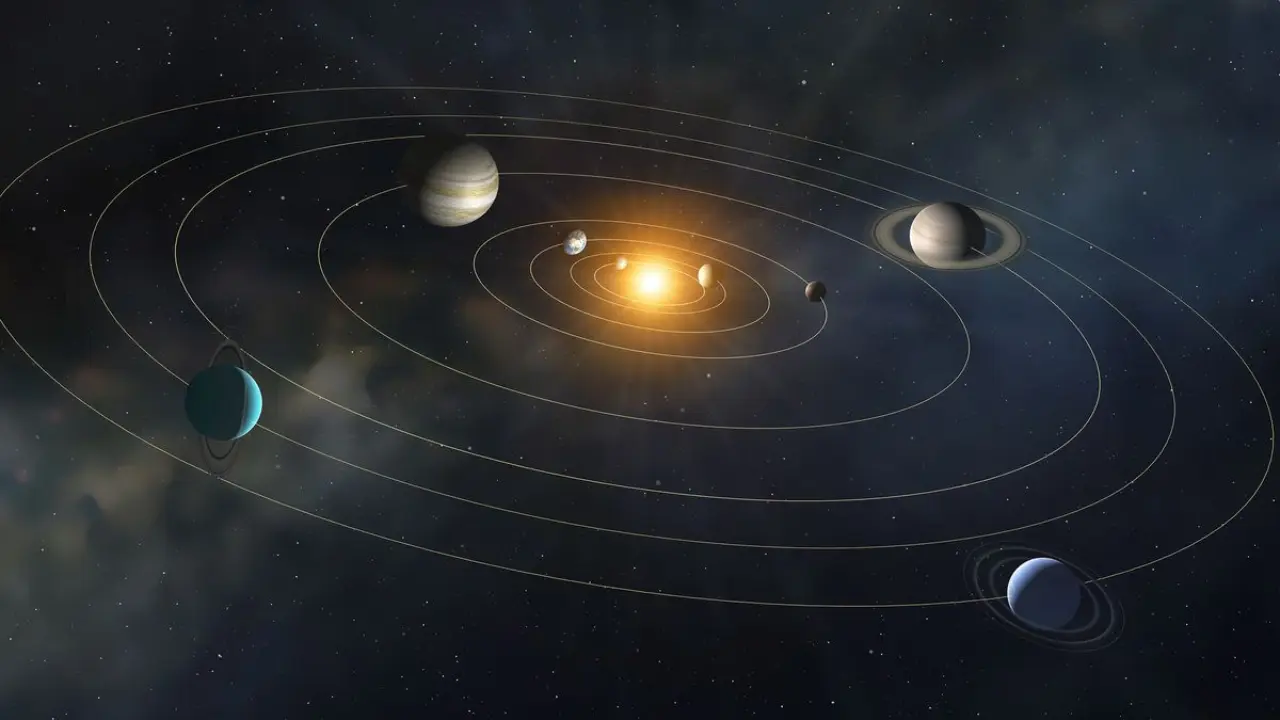

Snapchat Planets
Snapchat Planets is a Snapchat+ feature, launched in 2022, that shows where you rank among a friend’s 8 Best Friends. This guide covers the order, what each planet means and how to check yours.
What does it mean?
What is its order?
What is the list?
Everyone is talking about Snapchat planets nowadays, but the funniest thing is that most do not know what it is, the order of Snapchat planets, or what information you can get from the Snapchat friend solar system. But as it is said if you do not know about something, read and research to discover the type of information that will surprise everyone.
So in this article, you will get to know everything about Snapchat Planets. For the readers’ convenience, I have also added a Frequently Asked Questions(FAQ) section so that you can clear up your doubts.
Without wasting your time, let’s start!
By Riley Bennett · Last updated November 22, 2026 · Checked against Snapchat Support
Snapchat Planets in Order: Quick Answer
Snapchat Planets (often searched as Snap planets) are the Snapchat+ Friend Solar System. They show where you rank among a friend’s 8 Best Friends, the people they Snap and Chat with most. Mercury is #1 and Neptune is #8.
The full order is Mercury (1), Venus (2), Earth (3), Mars (4), Jupiter (5), Saturn (6), Uranus (7) and Neptune (8).
- You need Snapchat+ to see planets, and Solar System is off by default for new subscribers.
- A gold ring around the Best Friends badge on a friend’s profile means you’re in their top 8.
- No gold ring means you aren’t in their top 8 right now.
- Rankings move as you Snap and Chat more or less. Snapchat doesn’t publish the exact formula.
- Not sure which planet you are? Try the free Snapchat Planet Finder.
What is the Meaning of Snapchat Planets?
Snapchat Planets is a feature for Snapchat+ subscribers that visualizes your friendship levels with other users. In this system, each of your friends gets assigned a planet within your “solar system” based on how often you interact with them. The more you interact, the closer will be that friend to you in your solar system.
For example – if someone is Mercury in your solar system, it means they are your best friend on Snapchat and the person you interact with most. Each planet has its own significance, there are a total of 8 planets in this system also.
This feature helps you to understand who is your BFF or with whom you share snaps and chat most. But this feature is not available for free Snapchat users, you must have a Snapchat Plus subscription, if you don’t have then I am really sorry you can not use this feature.
I have also shared the Plus subscription plan details in the end, if you are thinking of buying a subscription, I suggest you read that first.

What is the Order of Snapchat Planets?
As we all know there are a total of 8 planets in our solar system, in the same order Snapchat Planets also had 8 planets which order is as follows –
Snapchat Planets Order at a Glance
| Planet | Position on their Best Friends list | What it means |
|---|---|---|
| Mercury | 1 | Their closest friend on Snapchat |
| Venus | 2 | Their second-closest friend |
| Earth | 3 | In their top three |
| Mars | 4 | Middle of their top eight |
| Jupiter | 5 | Fifth on their list |
| Saturn | 6 | Sixth on their list |
| Uranus | 7 | Second to last in their top eight |
| Neptune | 8 | Last spot, still in their top eight |
Which Snapchat Planet Are You? Find Yours
Find your planet
Open your friend’s profile, tap the Best Friends badge, then pick what you see.
You need Snapchat+ with Solar System turned on to see planets. Positions change as people snap and chat.
Want it on its own page? Open the Snapchat planet finder.
What Do the Planets Mean on Snapchat?
- Snapchat planet meanings: what each of the 8 planets says about your spot.
- Snapchat Planets help: how to see, turn on and turn off planets.
- Snapchat Planets troubleshooting: why planets are missing or changed.
- Snapchat Planets and friends: gold rings, who can see what, and the best planet.
Let’s know about each planet’s meaning in detail.
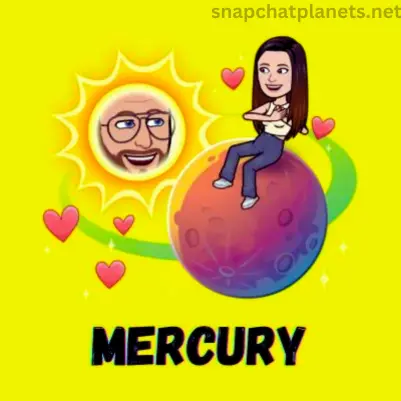
Mercury – Your 1st BFF
More: what does Mercury mean on Snapchat?
In the solar system, Mercury is the closest planet to the sun. Similarly, in Snapchat Plus, Mercury represents your best friend who is very close to you, with whom you share snaps or chats the most. If you are someone’s Mercury, congratulations, you have a friend in your life who values you the most.
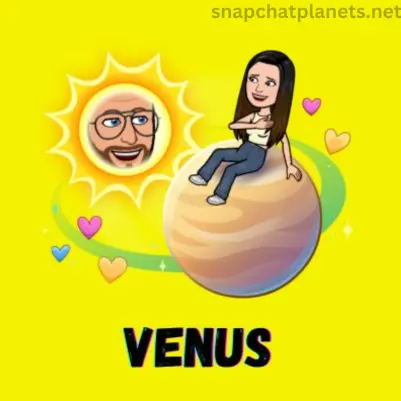
Venus – Your 2nd BFF
More: what does Venus mean on Snapchat?
Venus is the planet that comes after Mercury in our solar system. On Snapchat Plus, Venus represents your 2nd BFF with whom you snap and chat a lot, but not as much as you do with the Mercury one. If you are a Venus on your friend’s solar system, that’s awesome! It means you’re one of their closest buddies that they really value and love chatting with frequently.
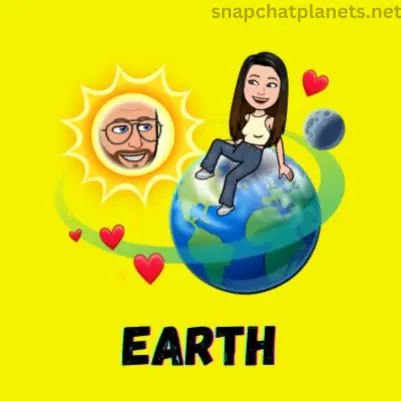
Earth – Your 3rd BFF
More: what does Earth mean on Snapchat?
Earth comes after Venus. In Snapchat Plus, Earth represents your 3rd BFF. With this friend, you share the snaps and chat with them less than the Venus one. But it does not mean that you are not important in that friend’s life, in my opinion, the 3rd position is not that bad.
Mars – Your 4th BFF
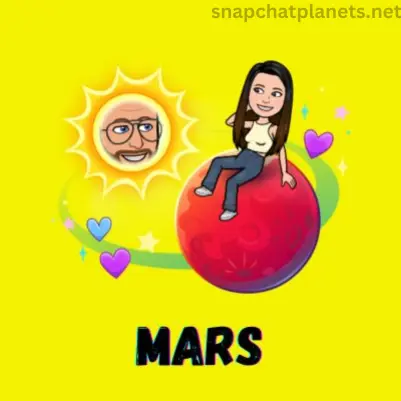
More: what does Mars mean on Snapchat?
Mars(Red Planet) is next on this list. It represents your 4th BFF, with whom you share snaps and chat less than the Earth one. The bitmoji of Mars is very beautiful, with the warm red color Mars’s icon looks stunning.
Jupiter – Your 5th BFF
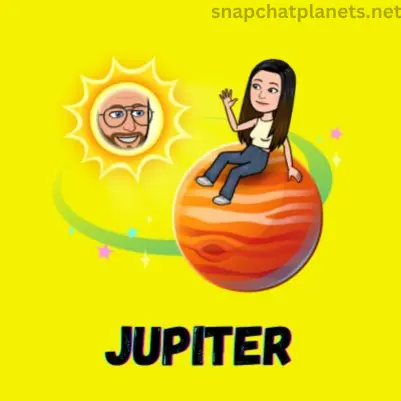
More: what does Jupiter mean on Snapchat?
Jupiter – the biggest planet of our Solar System represents your 5th BFF in Snapchat Planets. With this friend, you chat or send snaps the 5th most. If we talk about Jupiter’s bitmoji, with a green ring behind it, it also looks good but not as much as Mars’s.
Saturn – Your 6th BFF
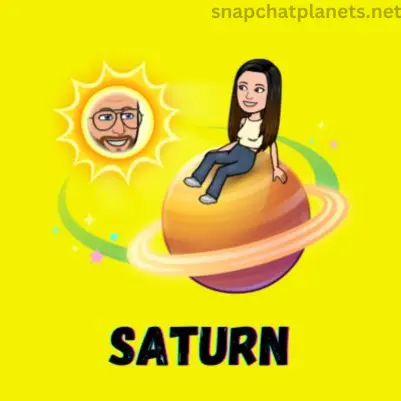
More: what does Saturn mean on Snapchat?
Saturn is the most beautiful planet in our solar system. In Snapchat Plus it represents your 6th BFF. With this friend, you interact 6th most. The bitmoji of Saturn is my favorite one. With a ring around it, it looks fabulous.
Uranus – Your 7th BFF
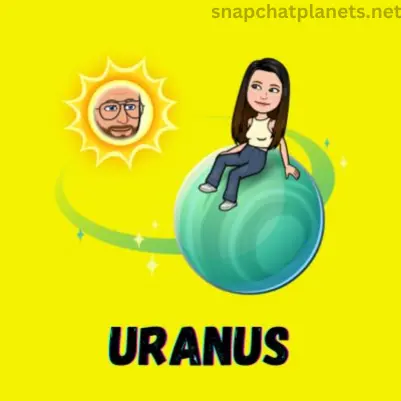
More: what does Uranus mean on Snapchat?
Uranus is number 7 in the list. It represents your 7th BFF. With this friend, you interact 7th most. The bitmoji of Uranus is decent, the only thing that I like about it is its color.
Neptune – Your 8th BFF
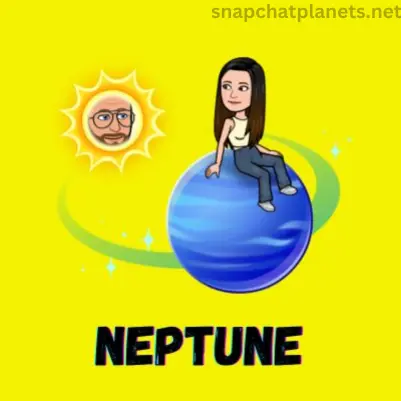
More: what does Neptune mean on Snapchat?
The last one is Neptune. It represents your 8th BFF. With this friend, you interact 8th most. It is the last one on the list. The bitmoji of Neptune does not look good. I do not like it, Snapchat should improve this one.
How Do Snapchat Planets Work?
Snapchat ranks your 8 Best Friends by how much you Snap and Chat with each person. Planets turn that list into a solar system: if a friend Snaps you more than anyone else, you sit at Mercury in their system. The 8th spot is Neptune.
Snapchat doesn’t publish the formula. Snaps and chats both count, and positions shift as your activity changes. Your planet in a friend’s system comes from their list, so you can be their Mercury while they’re your Earth.
How to Turn On Snapchat Planets
Snapchat Planets only work with Snapchat+, and Snapchat says the Solar System feature is off by default for first-time subscribers. Turn it on first, or you won’t see any planets.
- Subscribe to Snapchat+ in the app.
- Go to your profile and open your Snapchat+ settings, where Snapchat+ features are managed.
- Switch on Solar System. You can turn it off again at any time.
- Open a friend’s Friendship Profile and tap the Best Friends badge with the gold ring to see which planet you are in their Solar System.
No gold-ring badge usually means you aren’t in that friend’s top eight right now. Source: Snapchat Support, How do Friend Solar Systems work? (checked November 2026).
Where Do I Rank on My Friend’s Snapchat Planet?
I hope till now you have a pretty good knowledge about it, but now the main question is how can I find my position in my friend’s solar system. Don’t worry it is also very easy to find out, just follow the below steps –
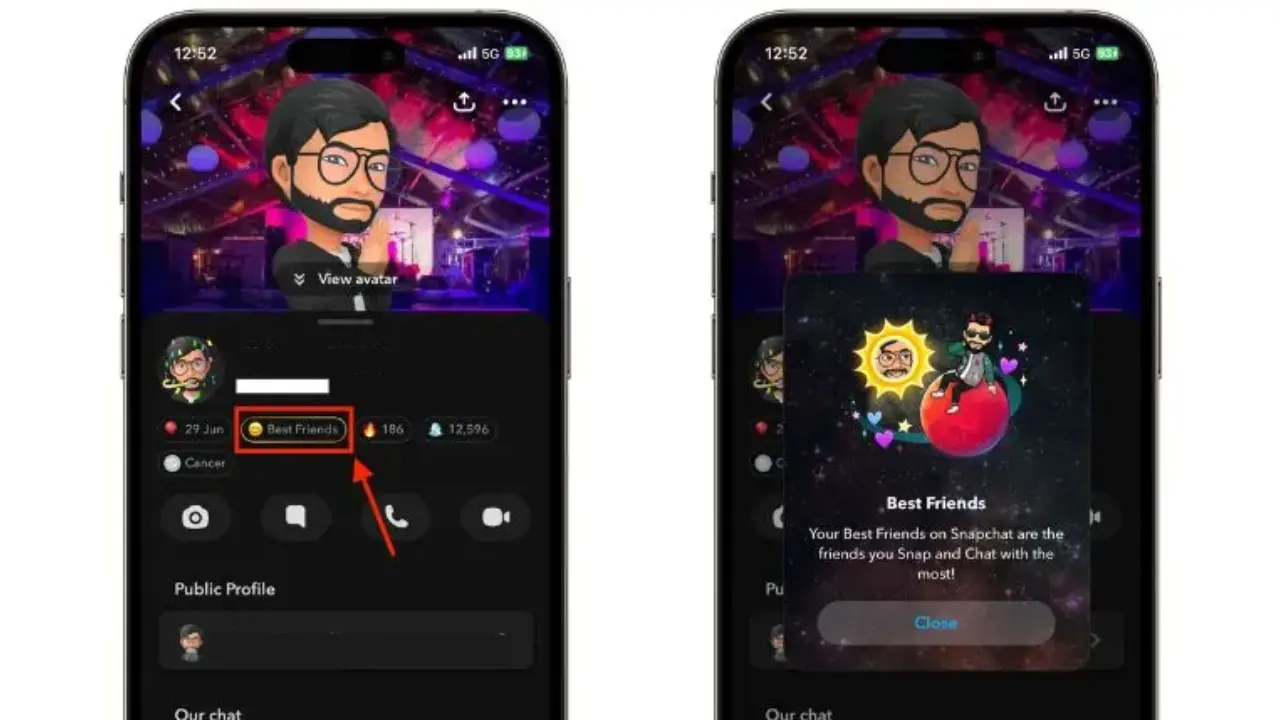
I hope these steps help you to find your position.
Gold Ring, Planet or No Ring: What the Badge Means
Open a friend’s Friendship Profile. If you see a Best Friends badge with a gold ring, you’re one of their 8 Best Friends. Tap it to see your planet.
- Gold ring with a planet: you’re in their top 8, and the planet shows your spot.
- No gold ring: you aren’t in their top 8 right now.
- No badge at all: Snapchat+ may not be active, or Solar System may be switched off in your Snapchat+ settings.
More: what does the gold ring mean on Snapchat
Who Can See Your Snapchat Planets?
Only Snapchat+ subscribers with Solar System switched on can see planets, and each person sees only their own spot in a friend’s system. Best Friends lists are private, so friends can’t open your full list of 8.
More: can people see what planet they are on your Snapchat
Snapchat Planets vs Snap Score vs Streaks
| Feature | What it measures | Who sees it |
|---|---|---|
| Planets (Friend Solar System) | Your rank in a friend’s 8 Best Friends | Snapchat+ subscribers |
| Snap Score | Points from Snaps sent and received and other activity | Your friends, on your profile |
| Snapstreak | Days in a row you have both sent Snaps | You and that friend |
A high Snap Score or a long streak doesn’t guarantee a better planet. Planets only compare you with that friend’s other Best Friends.
How to Move Up a Planet
- Snap and chat with that friend more often, and keep it steady day to day.
- Reply to their Snaps instead of only opening them.
- Give it time. Positions change as activity changes, not instantly.
More: how do you move up in Snapchat Planets
How to Turn Off Snapchat Planets
Go to your Profile, open your Snapchat+ settings and switch off Solar System. You can switch it back on at any time.
More: can you turn off Snapchat Planets
What is Snapchat Plus?
Snapchat Plus was introduced in 2022. For Snapchat Plus there is not a separate special app, it is like the premium version of Snapchat, which offers additional and pre-released features. Some of them are as follows –
Can You See Snapchat Planets for Free?
No. Snapchat Support lists Solar System as a Snapchat+ feature, so you need an active Snapchat+ subscription to see the gold ring and tap it for your planet. Free accounts still get Friend Emojis, like the yellow heart or the smiley face, which hint at who your Best Friends are without showing an exact rank. More detail: can you see Snapchat Planets without Snapchat Plus.
How to Get Snapchat+ and Turn On Planets
- Open your Profile and tap the Snapchat+ banner card at the top.
- Choose a plan, then finish the purchase in the App Store or Google Play. You see the price and renewal terms there before you confirm.
- Restart Snapchat if the Snapchat+ options do not show yet.
- Open the Snapchat+ feature management page and switch on Solar System. It is off by default for first-time subscribers.
You can also subscribe on the web at snapchat.com/plus. Snapchat says prices vary by country and device, and the price shown in your app is the one you pay. See how much Snapchat Plus costs and the full list of Snapchat+ features.
Best Friends List vs Extended Best Friends List vs Planets
| Feature | What it shows | Who gets it |
|---|---|---|
| Best Friends list | Your 8 Best Friends: the people you Snap and Chat with most | Everyone |
| Extended Best Friends List | Your 8 Best Friends, your next 8 Upcoming Best Friends and any movement since you last checked | Snapchat+ only |
| Friend Solar System (planets) | Where you rank, 1 to 8, in a friend’s Best Friends list | Snapchat+ only |
Planets show your spot in their list. The Extended Best Friends List shows movement in your own list. Full guide: how the Snapchat Best Friends list works.
Friend Emojis vs Planets: What Each One Tells You
| Emoji | Meaning (per Snapchat Support) |
|---|---|
| 💕 Super BFF | You have been each other’s #1 Best Friend for two months in a row |
| ❤️ BFF | You have been each other’s #1 Best Friend for two weeks in a row |
| 💛 Besties | You are each other’s #1 Best Friend |
| 😊 BFs | They are one of your Best Friends, but not your #1 |
| 😬 Mutual Besties | Your #1 Best Friend is also their #1 Best Friend |
| 😎 Mutual BFs | One of your Best Friends is also one of theirs |
Friend Emojis are free and show for both of you. Planets add the exact rank, from Mercury to Neptune. If you share a yellow heart with someone, you are very likely Mercury in their Solar System.
Snapchat Planets Not Showing? Common Fixes
- No Snapchat+: Solar System only works with an active Snapchat+ subscription.
- Solar System is off: it starts off for new subscribers. Switch it on in Snapchat+ feature management.
- App needs a restart: Snapchat says new Snapchat+ options can need a restart to appear.
- No gold ring: you are not in that friend’s top 8 right now.
- Order looks stuck: ranks follow how much you Snap and Chat, so they only move when that changes.
Still stuck? Work through the Snapchat Planets troubleshooting guide.
Is Your Snapchat Planet Private?
Only Snapchat+ subscribers can see planets, and only on a friend’s Friendship Profile. Snapchat says Friend Emojis are private to you and that friend. If you pin someone as your #1 Best Friend with Snapchat+, only you can see who you pinned.
Snapchat Planets Myths vs Facts
- Myth: there is a secret 9th planet. Fact: Snapchat’s guide lists 8 planets, Mercury to Neptune. There is no Pluto.
- Myth: planets only count chats. Fact: Snapchat says Best Friends are the friends you Snap and Chat with the most.
- Myth: Snapchat Planets are gone. Fact: as of November 2026, Snapchat Support still lists Solar System as a Snapchat+ feature.
- Myth: a third-party app can show planets for free. Fact: only Snapchat+ shows them, and apps that ask for your Snapchat login put your account at risk.
Pros and Cons of Snapchat Planets
| Pros | Cons |
|---|---|
| Shows your exact rank, not just an emoji | Needs a paid Snapchat+ subscription |
| You can switch it on or off at any time | A drop in rank can feel personal |
| A fun way to see who you talk to most | Only covers a friend’s top 8 |
Summary
Snapchat Planets show where you sit in a friend’s top 8: Mercury is closest and Neptune is 8th. You need Snapchat+ with Solar System switched on to see them. Check your spot with the free Planet Finder, or read every planet meaning one by one.
Frequently Asked Questions
What is Snapchat Planets System?
It is a friendship-based system in which your friends are ranked on the basis of your interaction with them.
Is Snapchat Planets Feature Free?
No, you must have a Snapchat Plus subscription for it.
How much does Snapchat+ Subscription Cost?
Snapchat+ launched in the US at $3.99 a month. Prices vary by country and change over time, so check the current price on the Snapchat+ screen in the app.
What is the order of Snapchat planets?
The Snapchat planets order is – Mercury, Venus, Earth, Mars, Jupiter, Saturn, Uranus, and Neptune.
Do both people need Snapchat+ to see planets?
No. Only the person checking needs an active Snapchat+ subscription with Solar System switched on.
Why can’t I see Snapchat Planets?
Usually Snapchat+ isn’t active, Solar System is switched off (it’s off by default for new subscribers), or you aren’t in that friend’s top 8 right now.
What does Mercury mean on Snapchat?
Mercury means you’re that friend’s #1 Best Friend, the person they Snap and Chat with most.
What does Neptune mean on Snapchat?
Neptune is the 8th and last spot in a friend’s Best Friends list.
How often do Snapchat Planets update?
Snapchat doesn’t publish a schedule. Positions change as Snapping and chatting between friends changes.
Can two friends have the same planet?
Not in one person’s solar system, because each planet is one spot in their top 8. You can see the same planet on two different friends’ profiles, since each friend has their own list.
Is there a 9th planet on Snapchat?
No. Snapchat’s Solar System has 8 planets, Mercury to Neptune, one for each spot in a friend’s top 8 Best Friends. There is no Pluto.
Can you see Snapchat Planets for free?
No. Planets are part of Snapchat+. Free users can still see Friend Emojis, which hint at Best Friends without an exact rank.
What is the difference between Best Friends and planets?
Your Best Friends list shows the 8 people you Snap and Chat with most. Planets show where you rank in a friend’s list, from Mercury (1st) to Neptune (8th).
Are Snapchat Planets gone in 2026?
No. As of November 2026, Snapchat Support still lists Solar System as a Snapchat+ feature that you can switch on or off at any time.